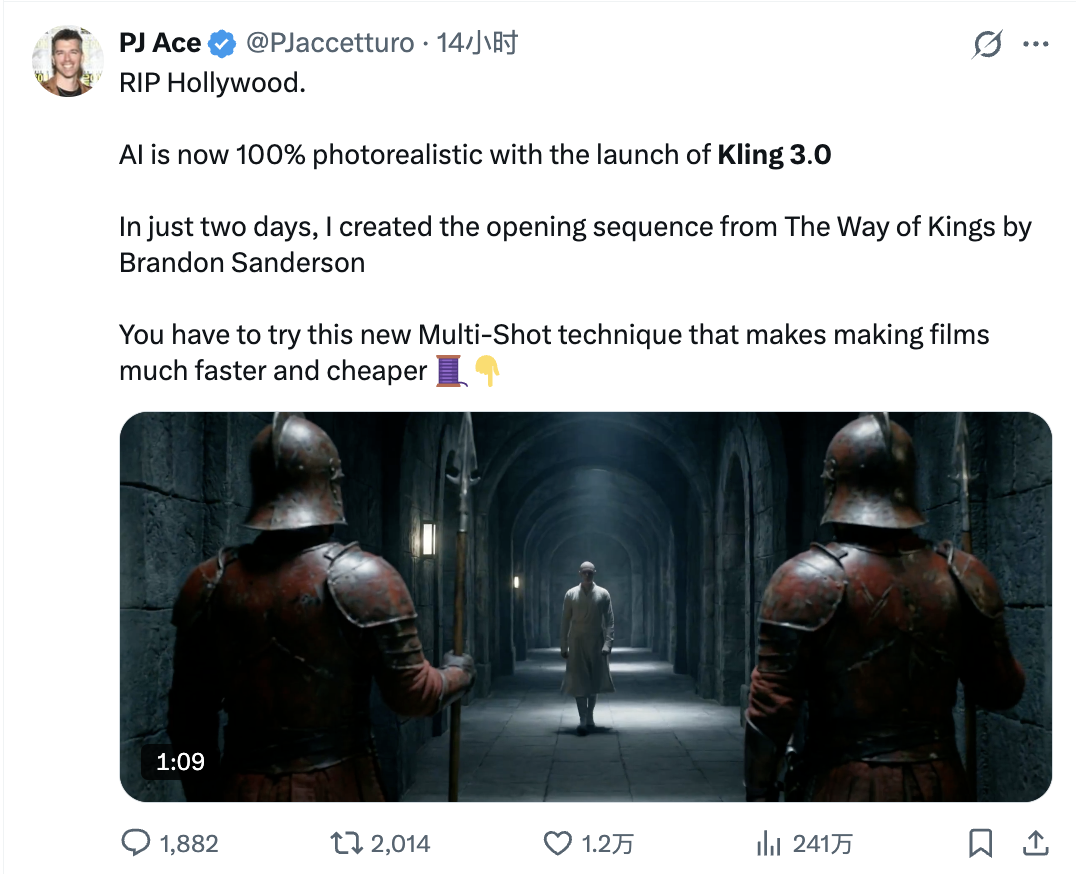
At 11pm on February 7, 2026, Kuaishou pushed Kling 3.0 to production. Fourteen hours later, AI creator PJ Ace posted a single tweet: "RIP Hollywood." His clip — a two-day recreation of the Way of Kings opening sequence using Kling 3.0's new Multi-Shot feature — had racked up 2,014 retweets before most of the US had finished their morning coffee.
That viral moment wasn't an accident. Kling 3.0 addressed the two failure modes that have kept AI video out of serious production pipelines: character drift (faces that morph between cuts) and shot fragmentation (having to generate each angle as a separate job). Both are solved, or close enough to solved that professionals are treating them as solved.
The Specs: 4K, 60fps, 15 Seconds, Multilingual Audio
Kling 3.0 ships in three variants: Video 3.0 (base), Video 3.0 Omni (native audio), and Image 3.0 Omni (image generation). The headline output specs:
| Capability | Kling 2.6 | Kling 3.0 |
|---|---|---|
| Max resolution | 1080p | Native 4K |
| Frame rate | 30fps | 60fps |
| Max duration | 10 seconds | 15 seconds |
| Multi-shot | No | Up to 6 shots per generation |
| Native audio | Limited | Full: dialogue + SFX + music |
| Character lock (Elements) | No | Yes |
| Dialogue languages | — | EN, ZH, JA, KO, ES + dialects |
The jump from 10 to 15 seconds matters more than it sounds. Character consistency in AI video degrades non-linearly with duration — each additional second compounds the drift probability. Holding 4K/60fps quality across 15 seconds while locking character identity is a qualitatively different technical challenge than 10 seconds.
Elements: The Character Identity Lock
Every developer who has tried to build a serial AI video pipeline has hit the same wall: the character in frame 1 is not the same character in frame 60. Eyes shift, hair color drifts, clothing changes mid-cut. The workaround — exhaustive prompt engineering, seed locking, manual compositing — adds hours of work per minute of output.
Kling 3.0's Elements system approaches this differently. You upload a reference image (or a 3–8 second reference video) and the model extracts what it calls an "identity matrix": face shape, hair color, posture, clothing detail. That matrix is then frozen for the entire generation run.
The identity lock extends to voice. If you supply a reference video with audio, Elements extracts vocal timbre and cadence. Every generated dialogue line uses that voice — no external TTS, no manual lip-sync alignment.
In practice this means you can build a virtual character once — appearance and voice — and use them across multiple videos without consistency degradation. For short drama, episodic content, or branded AI characters, this changes the production math entirely.
Multi-Shot: Six Angles, One Prompt
Before Kling 3.0, getting a multi-angle sequence meant: generate clip 1, check for character drift, regenerate if needed, generate clip 2 with carefully matched seed parameters, check for consistency with clip 1, repeat. For a 30-second scene with four cuts, you might spend an hour on iteration alone.
Multi-Shot collapses this into a single generation pass. One prompt, up to 6 shots, each independently configurable:
- Duration: 3–15 seconds per shot
- Shot type: wide / medium / close-up / extreme close-up
- Camera movement: push / pull / pan / track / crane
- Scene content: per-shot text description
The model handles all inter-shot continuity automatically: light consistency, character position carry-over, scene transition physics. There's also an auto mode where you provide a narrative paragraph and the model decides where to cut.
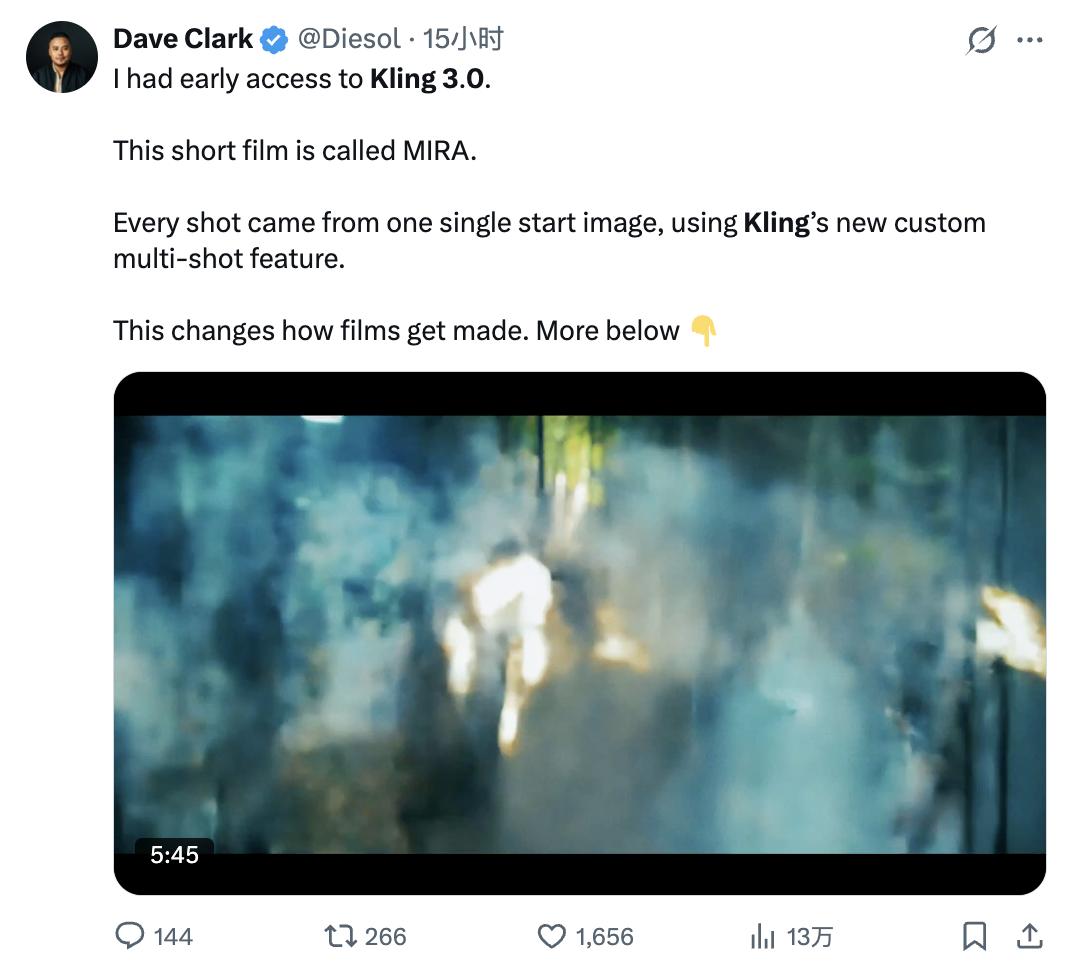
Dave Clark's short film MIRA is the clearest demonstration: every shot originated from a single reference image. His conclusion: "This changes how films get made."
What the Professional Community Actually Said
The reaction from working creators was more specific — and more useful — than the viral hype suggested. Here's what the detailed testing found:
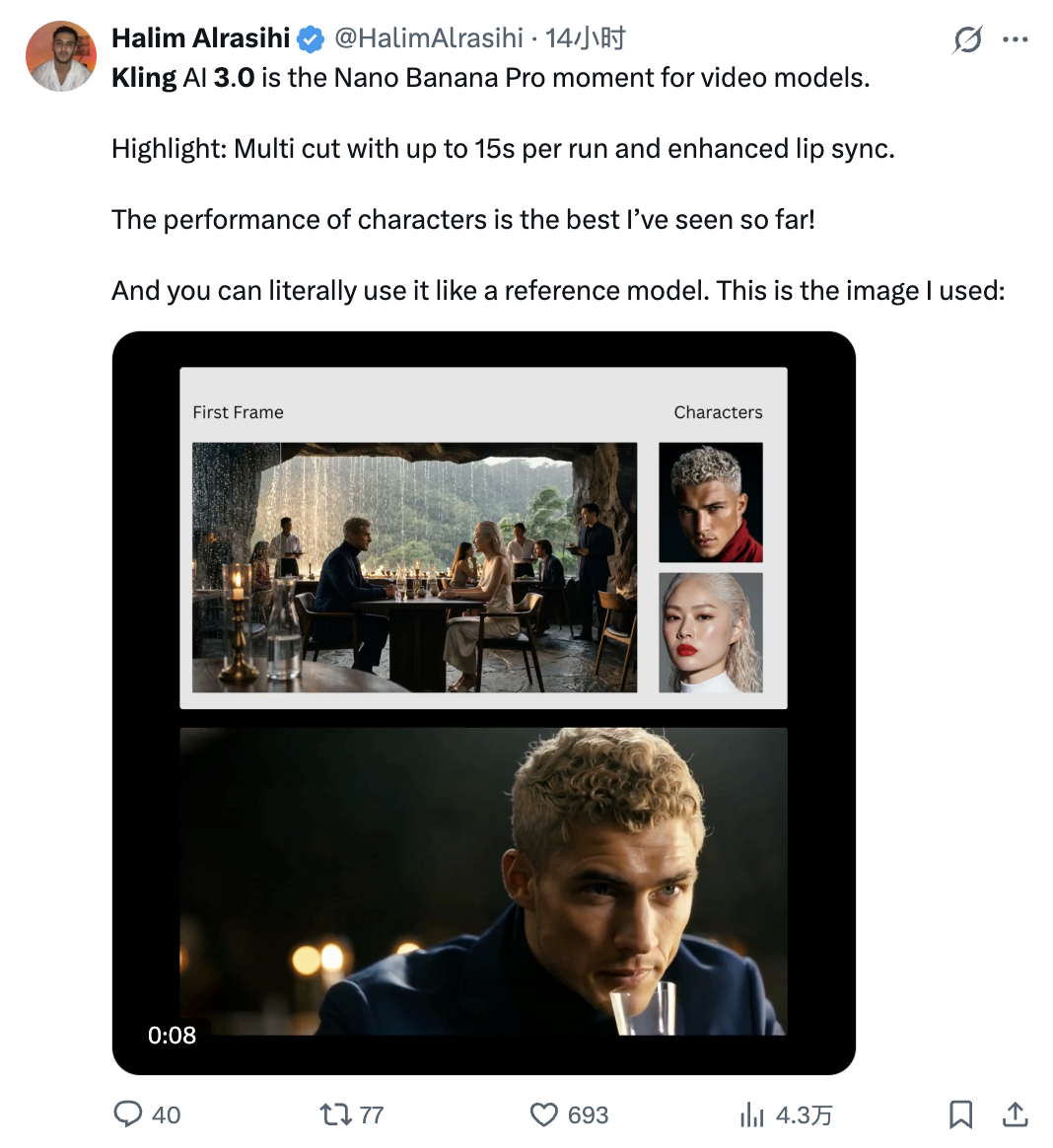
Halim Alrasihi uploaded a restaurant scene photo plus two character reference photos. Output: a two-person dialogue video with accurate lip sync, consistent character identity throughout, and natural micro-expression variation. His framing: "Kling 3.0 is the Nano Banana Pro moment for video models." — a reference that carries real weight in the AIGC community.
Higgsfield AI ran the most systematic public evaluation — 30+ test tweets covering every announced capability. Their findings by category:
- Macro close-ups: Hands, eyes, and material textures held without structural collapse — historically the worst-performing scenario for AI video
- Emotion rendering: Fear, excitement, anger, tension with film-grade skin quality. Their rating: "nails emotions"
- Physics simulation: Combat, car chases, explosions, smoke — "feel real", debris and particle interactions behave with physical plausibility
- Camera control: Tracking shots, push/pull, mechanical arm movement — subject stays centered, background parallax correct
- Character lock: Multi-character action scenes, complex choreography, identity maintained throughout
- Multi-shot narrative: 9 shots, 15 continuous seconds, native audio with lip sync — "insanely cinematic"
Their summary: "THE ERA OF THE AI DIRECTOR." 4K quality, native audio, and multi-shot sequencing unified into a single creative engine.

The honest Reddit feedback: Complex physical interaction — embraces, fight scenes with body contact — still produces occasional "melting" artifacts. Text rendering in motion scenes is unreliable. Generation success rate for complex multi-shot prompts is approximately 60–70%; budget for retries on dense storyboards.
Pricing and API Access
Kling 3.0 is available through klingai.com (consumer) and via API through fal.ai and other providers.
fal.ai pricing (pay-per-second, no subscription):
| Endpoint | Price |
|---|---|
| Video 3.0 Standard, audio off | $0.168/sec |
| Video 3.0 Standard, audio on | $0.168/sec (audio included) |
| Video 3.0 Pro with voice control | $0.392/sec |
| O3 Standard with audio | ~$0.224/sec (5s = $1.12) |
| Element referencing (Elements feature) | separate rate, check playground |
A 5-second Video 3.0 Standard clip with audio costs approximately $0.84. A 15-second clip at that rate is $2.52. Cheaper than Seedance 2.0's $0.30/sec for equivalent duration on the standard tier ($4.50 for 15s), though Seedance's audio is fully included at no structure change.
For the consumer subscription path, Kling 3.0 sits inside existing Pro/Ultra plan tiers at klingai.com.
What It Means for Developers
Serial content pipelines are now viable. The Elements character lock means you can define a character once and batch-generate episodes without manual consistency work. If you're building a short drama or branded content engine, the per-character setup cost amortizes across the entire series.
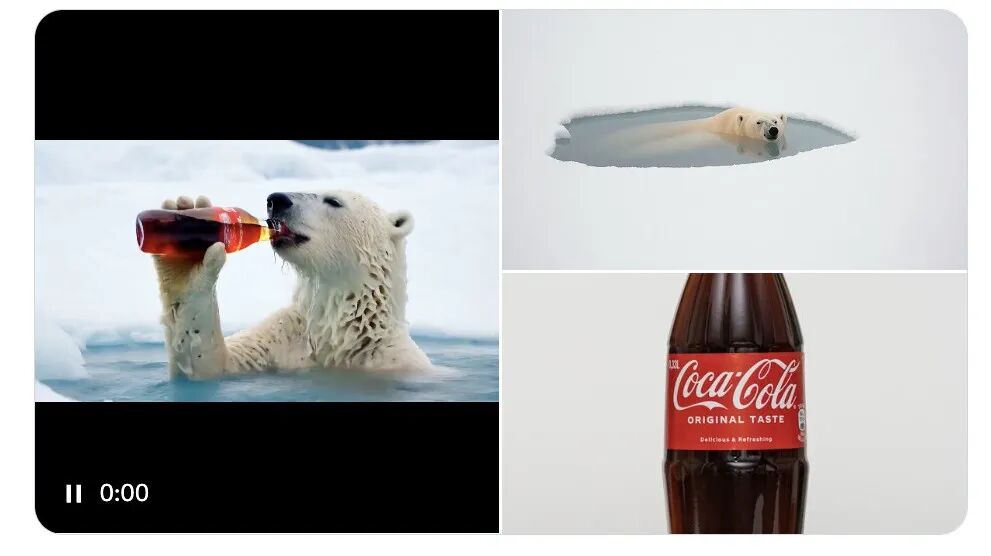
Ad production gets interesting. The Higgsfield Coca-Cola polar bear test (polar bear + product reference → coherent product ad) is a direct demonstration: upload product photos, upload character references, generate ad variations at $0.84 per 5-second clip.
Storyboard-to-video is the workflow that Multi-Shot enables most directly. Give the model a shot list with per-scene descriptions and camera specs; get back a coherent sequence without manual stitching. Previs for film and branded content just got a lot cheaper.
Realistic caveats: The 60–70% complex-shot success rate means you need retry logic in any production pipeline. Elements works well for faces and clothing; object consistency across shots (props, vehicles) is less reliable. Multi-Shot's auto mode produces plausible but not always director-quality cut decisions — use manual mode for anything that actually matters.
Bottom Line
Kling 3.0 is the first AI video model where the two core production blockers — character consistency and multi-shot sequencing — are addressed well enough to stop being blockers. The 4K/60fps output at $0.168/sec via fal.ai is competitive pricing for the capability tier.
The "RIP Hollywood" framing is hyperbole, but it points at something real: the gap between AI video and professional short-form production has narrowed enough that the question is no longer whether to use AI video in production, but which tool and at what budget.
For developers, the answer is increasingly: Kling 3.0 for character-consistent serial content and structured multi-shot sequences; Seedance 2.0 for multimodal reference workflows and anything requiring joint audio-video generation. They're good at different things, and both are good enough to ship.
Resources
- Kling AI — global product with free credits
- Kling 3.0 on fal.ai — API access, pricing playground, docs
- fal.ai Kling vs. Seedance comparison — detailed technical comparison
- Higgsfield AI — Kling 3.0 available on platform
- Kuaishou Q1 2026 earnings — commercial context
Kling 3.0 is available globally at klingai.com and via API at fal.ai/kling-3 starting at $0.168/sec with native audio.